
One Inbox for Every Customer Conversation - Email, SMS, WhatsApp & More
Your customers reach out on their preferred channel. Your team shouldn't have to open five different apps to keep up. OneBizGrowth's unified messaging inbox consolidates every customer conversation into a single, organized view. So you respond faster, never lose context, and deliver a consistently professional experience.
The Real Cost of Fragmented Customer Communication
Switching between Gmail, WhatsApp, SMS apps, and Facebook Messenger kills productivity.
Conversations get missed because no single person owns a particular channel.
There's no full history of what was said across channels when a client escalates.
New team members have no context when picking up a conversation mid-thread.
Customers feel like they're talking to a different company every time.
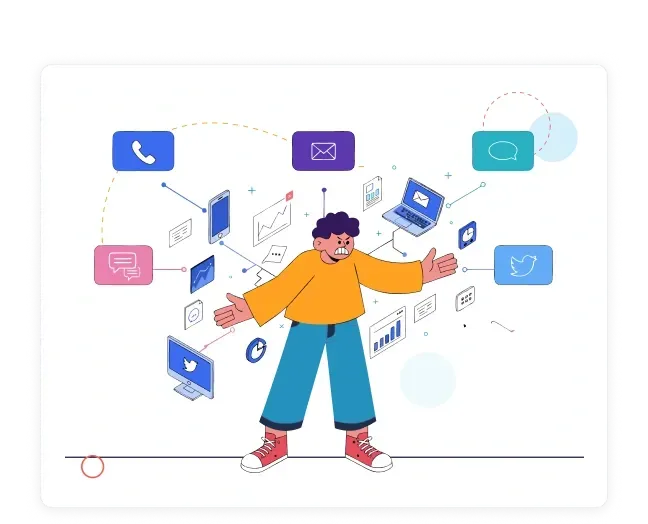
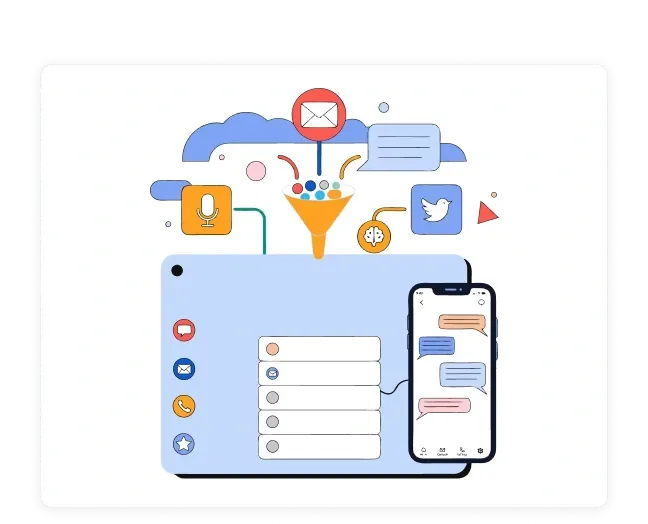
Every Conversation. Every Channel. One Place.
OneBizGrowth's unified inbox pulls in messages from every channel. Email, SMS, WhatsApp, Facebook Messenger, and more. Every message, regardless of channel, is part of a single, continuous conversation history tied to the CRM record.
Never miss a message from a high-value prospect or existing client.
Respond from the inbox. No need to open separate apps.
Full conversation history across all channels, per contact.
Assign conversations to team members with internal notes.
What's Inside the Unified Inbox

All-Channel Consolidation
Connect your email accounts, SMS number, WhatsApp Business, and social messaging channels and see every incoming message in one unified feed.
Email (Gmail, Outlook, custom domains)
SMS / MMS
WhatsApp Business
Facebook Messenger
Instagram Direct Messages

Contact-Linked Conversations
Every message is automatically linked to the sender's CRM contact record. See full name, company, deal stage, and recent activity before you reply.
One-click access to full CRM profile from the inbox.
See open deals, recent tasks, and notes alongside the conversation.
Automatic contact creation for unknown senders.

Team Assignment & Collaboration
Route conversations to the right team member manually or automatically. Leave internal notes that clients can't see. Never let a message sit unanswered because of unclear ownership.
Assign conversations to individuals or teams.
@mention colleagues in internal notes.
Set conversation status: open, pending, resolved.

Saved Replies & Templates
Speed up response times with pre-written replies for common questions, objections, and requests. Personalize with dynamic fields before sending.
Create and organize saved replies by category.
Personalization tokens: name, company, deal details.
Consistent messaging across your entire team.

Mobile-Ready Inbox
Your team can manage customer conversations from anywhere. The OneBizGrowth mobile experience keeps the inbox fully functional on any device.
Full inbox access on iOS and Android.
Push notifications for new messages and assignments.
Reply, assign, and close conversations on the go.
The Business Impact of a Unified Inbox
Faster response times - No more missed messages across apps.
Higher customer satisfaction - Consistent, informed replies every time.
Better team coordination - Clear ownership and full context per conversation.
Reduced tool sprawl - Replace 3–4 communication apps with one inbox.
Stronger client relationships - Every interaction is remembered and referenced.
What Our Client Saying
Frequently Asked Questions
What channels are supported in the unified inbox?
OneBizGrowth's unified inbox supports Email (Gmail, Outlook, and custom domains), SMS/MMS, WhatsApp Business, Facebook Messenger, and Instagram Direct Messages. With additional channels added regularly.
Can multiple team members use the inbox at the same time?
Yes. The inbox supports full team collaboration. Conversations can be assigned to specific team members, and multiple users can view and respond simultaneously with clear ownership and internal notes.
Does the inbox connect to my CRM contacts?
Yes. Every inbound message is automatically matched to the sender's CRM contact record. You can see their full profile, deal history, and previous interactions right from the inbox. No tab switching required.
Is the unified inbox included in all plans?
Yes. The unified inbox is available across all OneBizGrowth plans, including the Start-Up plan at $99/month.
Can I set up automated replies in the inbox?
Yes. OneBizGrowth's automation workflows can trigger instant replies or sequences when a message arrives. For example, sending an acknowledgement SMS when a contact submits a form or messages your WhatsApp number after hours.
Bring Every Customer Conversation into One Place
Respond faster. Collaborate better. Never lose track of a conversation again.

OneBizGrowth unifies CRM, funnels, email/SMS/WhatsApp automation, sales pipelines, scheduling, and client management, making it the perfect GoHighLevel alternative for agencies and growing businesses.


