
Outgrown Your Sales Spreadsheets? Why It’s Time for a CRM | Blog
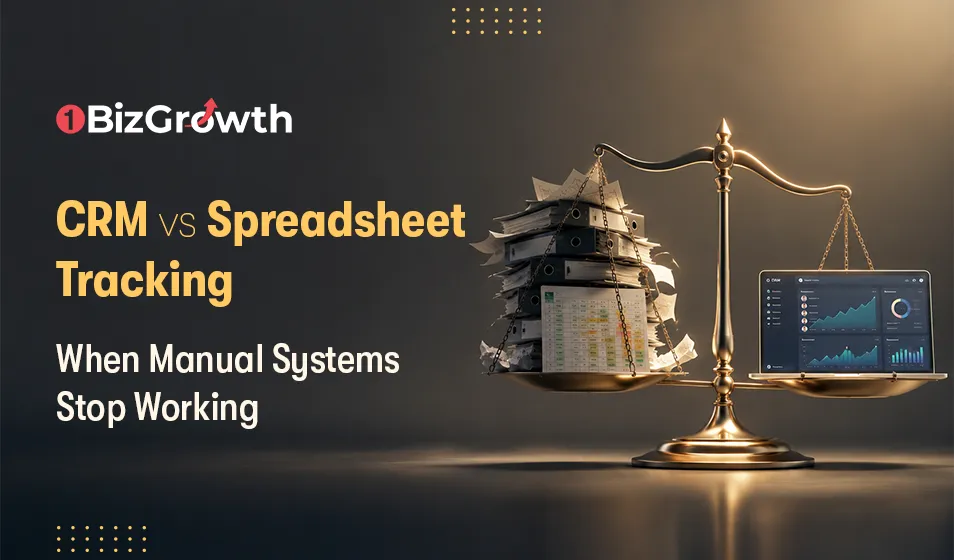
Spreadsheets are a great starting point for tracking leads, but they quickly become a bottleneck as your business grows. Missed follow-ups, duplicate records, outdated reports, and hours spent on manual updates can cost valuable opportunities. A CRM replaces these manual processes with automation, centralized customer data, real-time reporting, and structured workflows, helping teams stay organized, respond faster, and close more deals. If your team spends more time managing spreadsheets than talking to customers, it's time to move to a CRM.
Most businesses start by tracking leads in a spreadsheet. Why wouldn't you? They're free, everyone already knows how to use them, and you can set one up in seconds. If you're a two person team managing a handful of clients, Google Sheets works perfectly.
The wheels come off the second you start growing. When a sudden rush of leads hits, three different people try to update the same row at the same time, notes get overwritten, and nobody knows who is calling who. What felt organized last month suddenly turns into dropped balls and missed revenue. That's the messy moment you're forced to ask: have we officially outgrown our spreadsheets, and is it time to get an Advanced CRM Software?
Why Spreadsheets Work in the Beginning
Spreadsheets are great because they are simple. If you just need to track a few names and emails, you can build a working tracker in five minutes without paying a dime. For a tiny startup managing five prospects, a Google Sheet is honestly fine. You get a clean, flat view of your pipeline.
The problem is that spreadsheets are entirely passive. They hold data, but they do not manage relationships. A sheet will not remind you to follow up, it will not automate your outreach, and it completely breaks the second you hire another rep. The moment your sales volume picks up, the whole thing devolves into a messy, manual chore.

The Warning Signs That Manual Tracking Is Failing
Companies often cling to spreadsheets out of habit, ignoring the quiet friction until it starts costing them real money. The first thing to break is usually the follow up. When reps rely on memory, sticky notes, or manual sorting to figure out who needs a call, people get forgotten. In sales, a delayed response is usually a dead deal.
Then comes the version control nightmare. You have three different people updating the same sheet at different times. Within a month, you are looking at duplicate records, missing rows, and conflicting numbers. Eventually, nobody trusts the data.
It is also a massive time sink. Every hour a sales rep spends copying data between systems or fixing broken formatting is an hour they are not on the phone closing deals. For managers, this means running the business completely blind. When pipeline reports are built manually, the numbers are already outdated by the time they hit your inbox. If you spend more time fixing cells and updating sheets than using that data to make strategic decisions, your spreadsheets aren't tools anymore. They are bottlenecks.
Understanding the Difference Between a CRM and a Spreadsheet
Spreadsheets are passive; CRMs are active. That is the fundamental difference. A spreadsheet just holds information until you manually change it. A CRM acts more like an assistant, tracking your sales process and reminding you what to do next. Think about how much manual labor goes into a sales spreadsheet. Every single update requires someone to type, sort, and fix formatting errors. If a rep forgets to log a call, that data is gone. A CRM handles this quietly in the background by logging emails, tracking interactions, and keeping everyone aligned without constant data entry.
With a spreadsheet, you need a separate calendar app or a massive collection of sticky notes to remember to check in on a lead. A CRM just pings you when a deal goes cold. It also stops your customer history from fracturing into separate email threads and scattered notes. Everything lives in one shared timeline.
Finally, look at reporting. If your boss asks for a pipeline update and you are using Excel, you are trapped building pivot tables and diagnosing broken formulas for two hours. A CRM shows you what you are on track to close instantly, right on a central dashboard.
How CRM Software Improves Business Operations
When you start scaling a business, administrative clutter creeps in fast. A CRM is essentially there to clear out the daily friction that slows down a sales team. It keeps lead tracking from turning into a chaotic free-for-all by giving everyone a clear process to follow, so reps always know exactly where a deal stands and what needs to happen next.
The massive win here is automation. Handing off leads, setting follow up reminders, and updating accounts just happen in the background. That frees up your people to spend their time on actual, revenue-generating conversations instead of manual data entry.
It also puts an end to endless Slack pings and inbox digging. When everyone pulls customer data from one central spot using an Advanced CRM Software, internal communication fixes itself. The natural byproduct is a much better experience for the buyer. Faster replies, accurate info, and a smoother path to a closed deal.
Why More Businesses Are Moving Away from Manual Tracking
When a business grows, things get messy fast. More customers and bigger teams mean spreadsheets eventually stop working. A spreadsheet can hold data, but it cannot track a relationship or help you close a deal. Before long, you are losing money to missed follow ups, slow replies, and hours wasted on manual admin.
A good CRM puts all that information in one place. Sales reps can see exactly where a deal stands without digging through files, managers actually know what the pipeline looks like, and everyone spends less time on data entry and more time talking to buyers. It is basically the difference between looking at a paper map and using Google Maps. Both have the data, but only one tells you when to turn and how to avoid traffic.
The Conclusion
Spreadsheets work great for basic lists, but they make terrible sales pipelines. Eventually, the wheels come off. You miss a follow up, someone overwrites a cell, and pulling a simple report turns into a two-hour headache.
That is usually the moment you need a CRM. It shouldn't be about adding more software or administration to your day. It's just about getting the data out of the way. If your team is spending more time updating cells than talking to actual humans, your manual tracking system is done.
Ready to move beyond spreadsheets and build a more effective customer management process? Contact OneBizGrowth today to discover the right CRM strategy for your business and create a system that supports sustainable growth.





